Metering: water use, budget and balance
See where the water goes in every building, against the budget, and how much is unaccounted.
ForOwnerFacility manager
The problem
A monthly bill shows one number. It does not say which part of the building used the water, or how much was lost.
How WFI helps
With the Manage plan, a clip-on inlet meter and sub-meters show each building’s use day by day, its cost at the 2027 price, the budget, and the water balance: what came in, what the sub-meters saw, and what is unaccounted.
Step by step
- 1
Compare your buildings
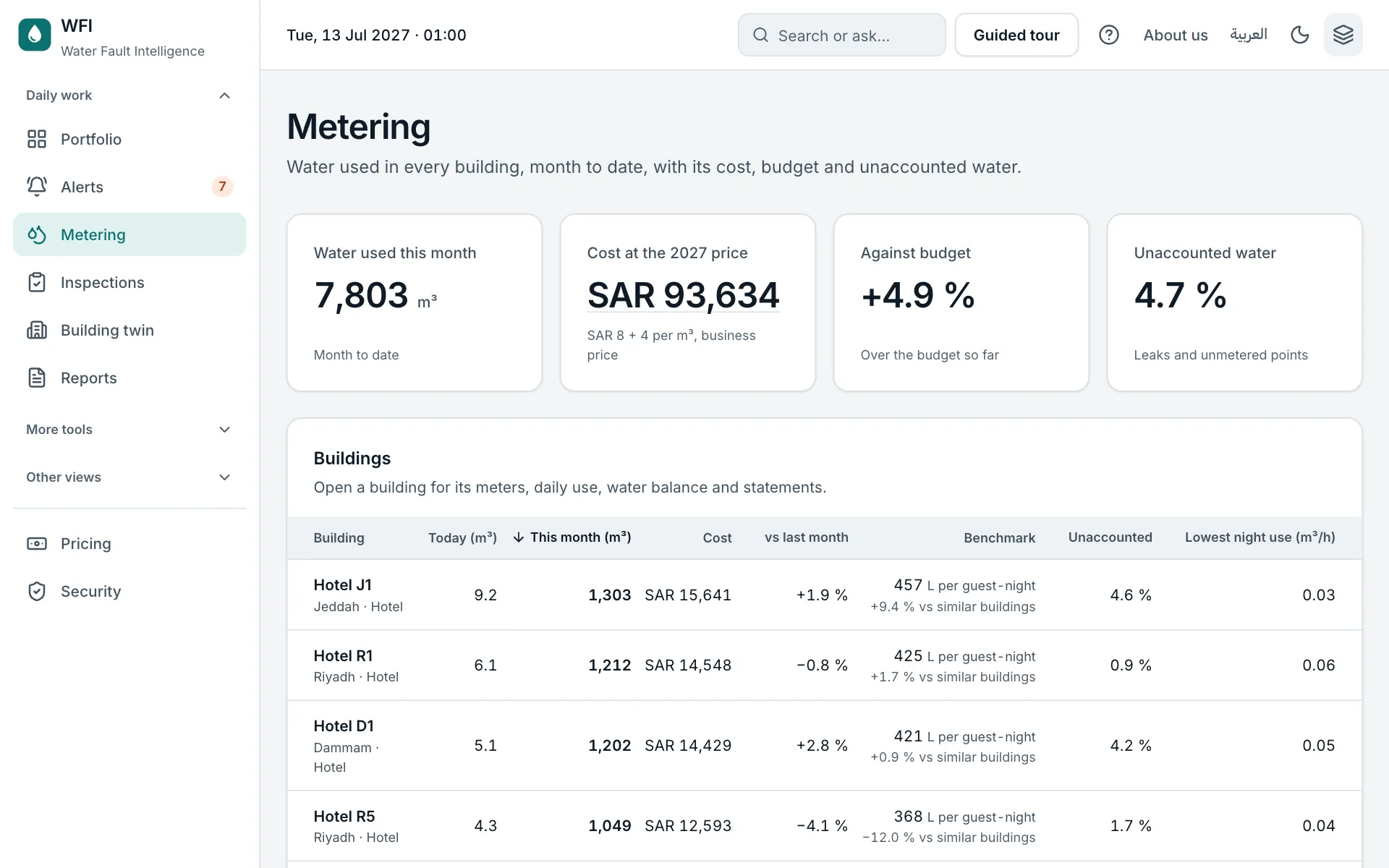
The Metering page shows this month’s water and cost, the budget, and unaccounted water for every building, with a benchmark against similar buildings.
- 2
Open a building
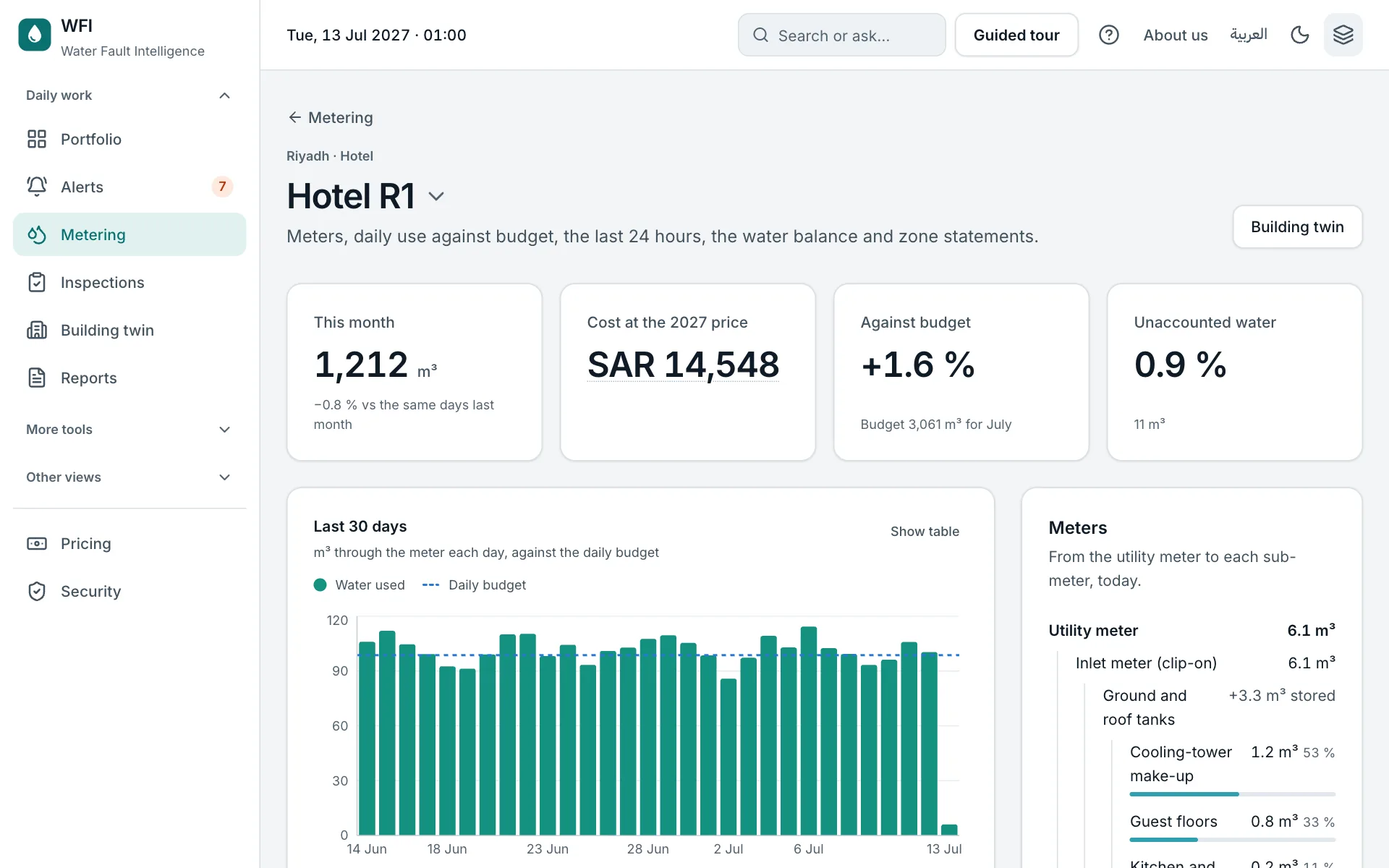
See the meters from the utility meter to each sub-meter, the last 30 days against the budget, and the last 24 hours. A steady use at night often means a leak.
- 3
Share the statements
Zone statements show each zone’s water and amount; export them as CSV to recharge tenants or departments.
Try it yourself on the real screen.
Open MeteringSources
- F3 From 1 January 2027 a business pays SAR 8 per m³ of water plus SAR 4 for wastewater; a government building SAR 10 plus SAR 5 (before VAT). (National Water Company announcement, 25 Oct 2026 (press))