Reports
Water use, faults fixed and savings for every building, month to date.
ForOwnerFacility manager
The problem
Owners need to see what the service saved, building by building, without reading every alert.
How WFI helps
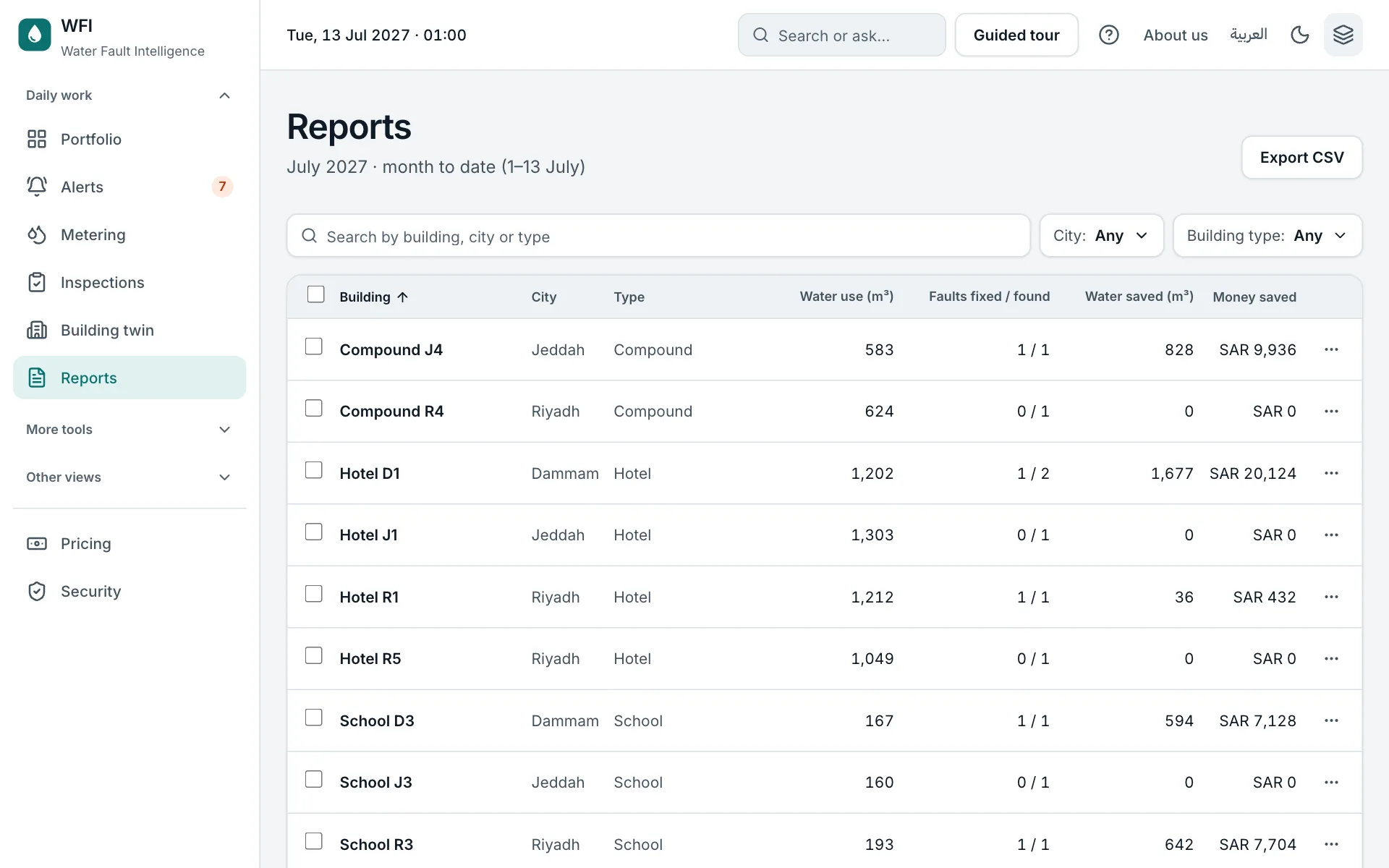
Reports list every building with its water use, faults fixed and found, water saved and money saved, with totals.
Step by step
- 1
Find the building
Search, filter by city or building type, and sort by any column. The Total row covers everything the filters keep.
- 2
Open the monthly report
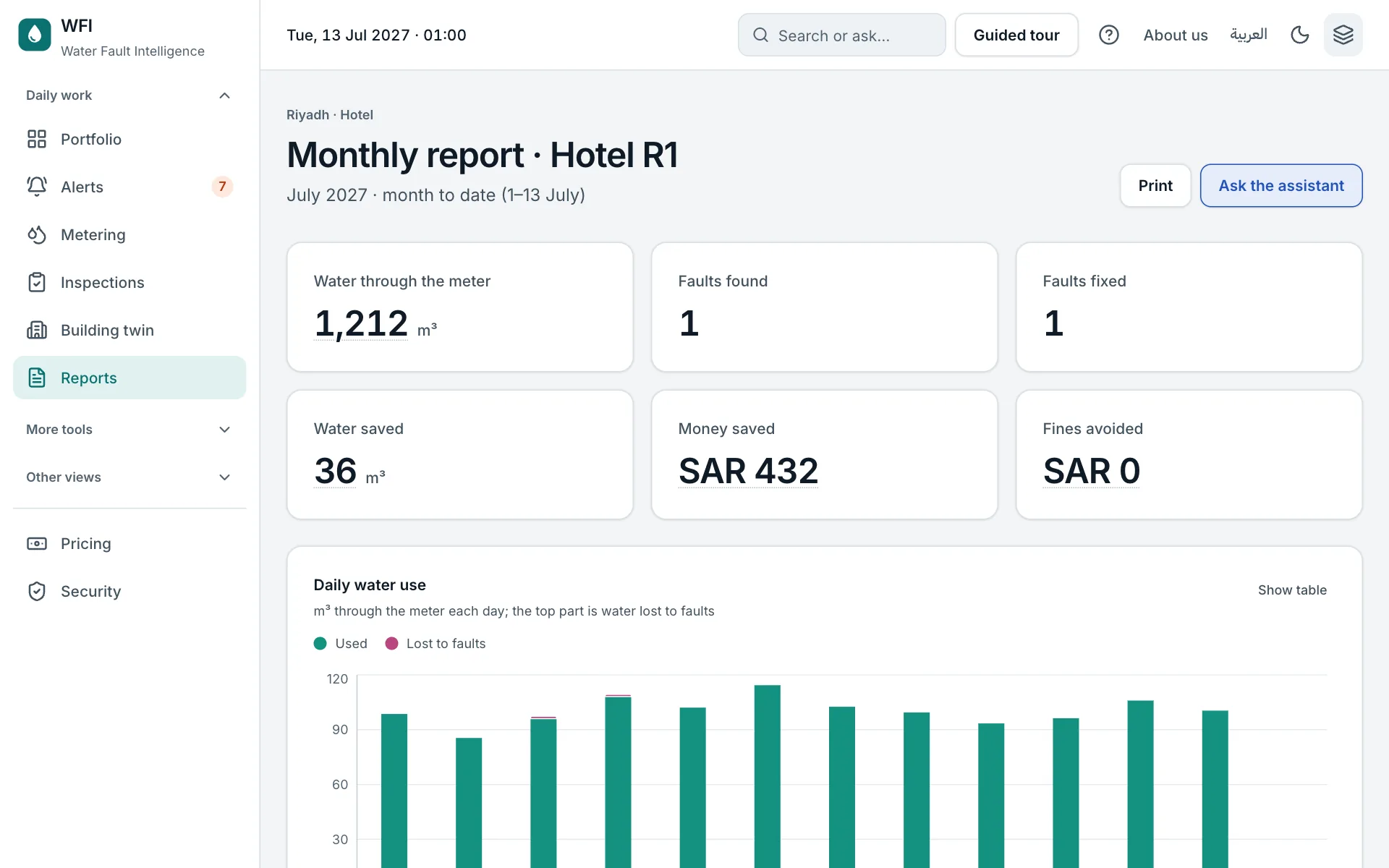
Daily water use with the part lost to faults, the faults table and AI warnings. Print it, or ask the assistant for a summary.
- 3
Select, download or print
Tick reports to download their summary or daily data as CSV. The ⋯ menu on a row opens the report, downloads its daily data, or prints it or saves it as a PDF.
Try it yourself on the real screen.
Open Reports